Europaius for Lawyers: How the Interface Works and Why to Trust It
The law of 26 states in a single interface. You upload a filing, the interface converts it to text on the server, anonymises it, and then searches the verified corpus for the laws and decisions relevant to the anonymised text. You receive a draft with citations that genuinely exist. The document disappears once the server has responded.
3 984 Laws218 Case law3 598 Laws with AI explanation
What the interface can do
Every provision and decision in the draft is a link into the corpus. What is not in the corpus is not cited by the interface; for each draft you can see the degree of support found in the sources.
Czechia and 25 EU states, with ECLI references, full texts and national sources. One query, one answer, cross-border research without switching between databases.
Names, numbers and addresses are replaced by placeholders before the text is ever seen by the language model. The map of placeholders remains in your browser, and the document itself is not stored.
Searching legislation and case law across borders: a single query searches both the legislation and court decisions of a given country, or of several countries at once, with an ECLI identifier and a link to the full text. Search is free and requires no registration.
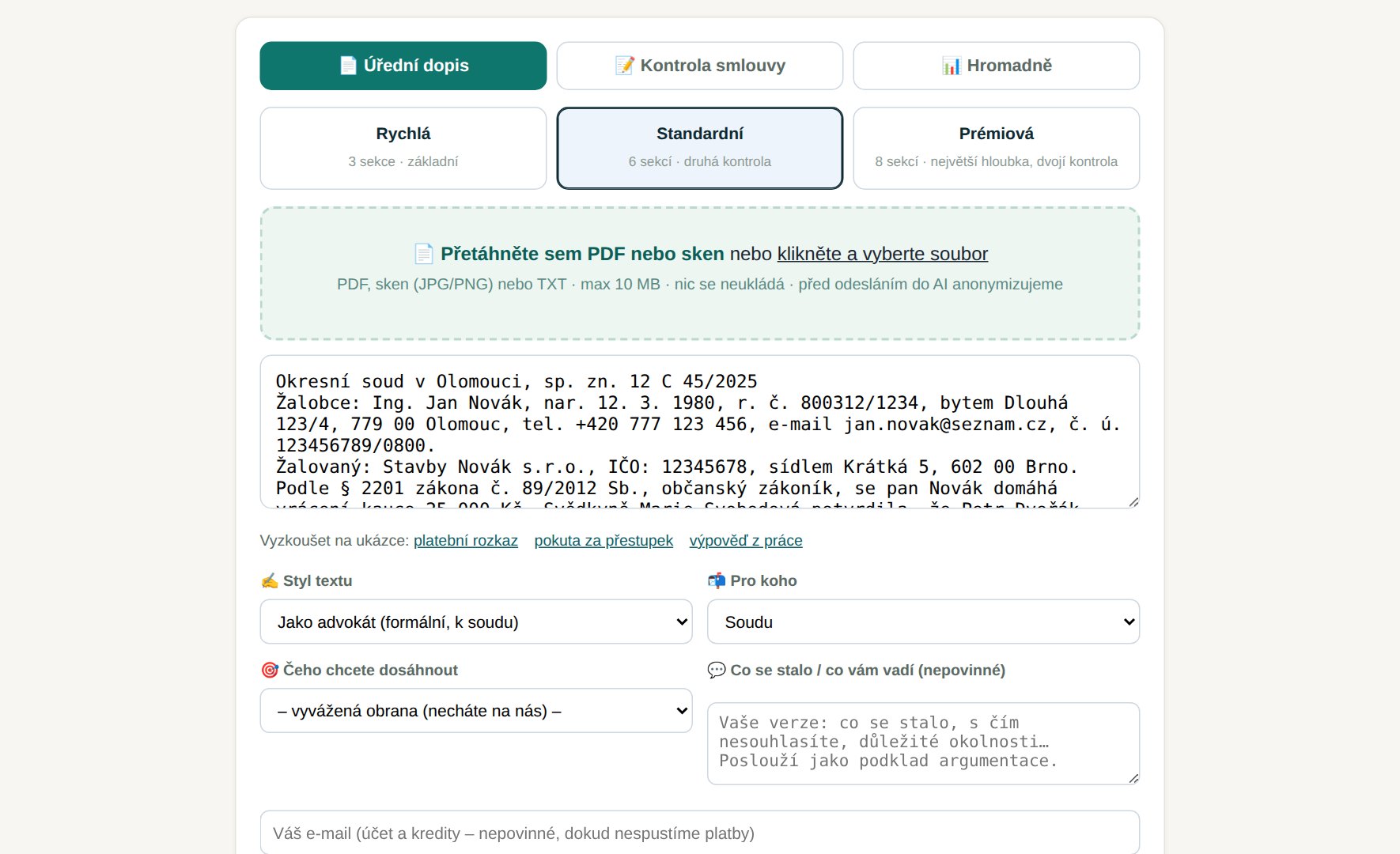
Analysis of an official letter and drafting of a submission: upload a payment order, an official notice, a termination notice, or a claim, and the interface pulls deadlines, steps, and relevant provisions from the verified corpus, then drafts a defence proposal section by section, each with citations verified against the corpus. Document analysis.
Contract review: the interface identifies risky clauses, links them to the relevant statutory provisions, and suggests amendments. Bulk analysis processes dozens of documents at once.
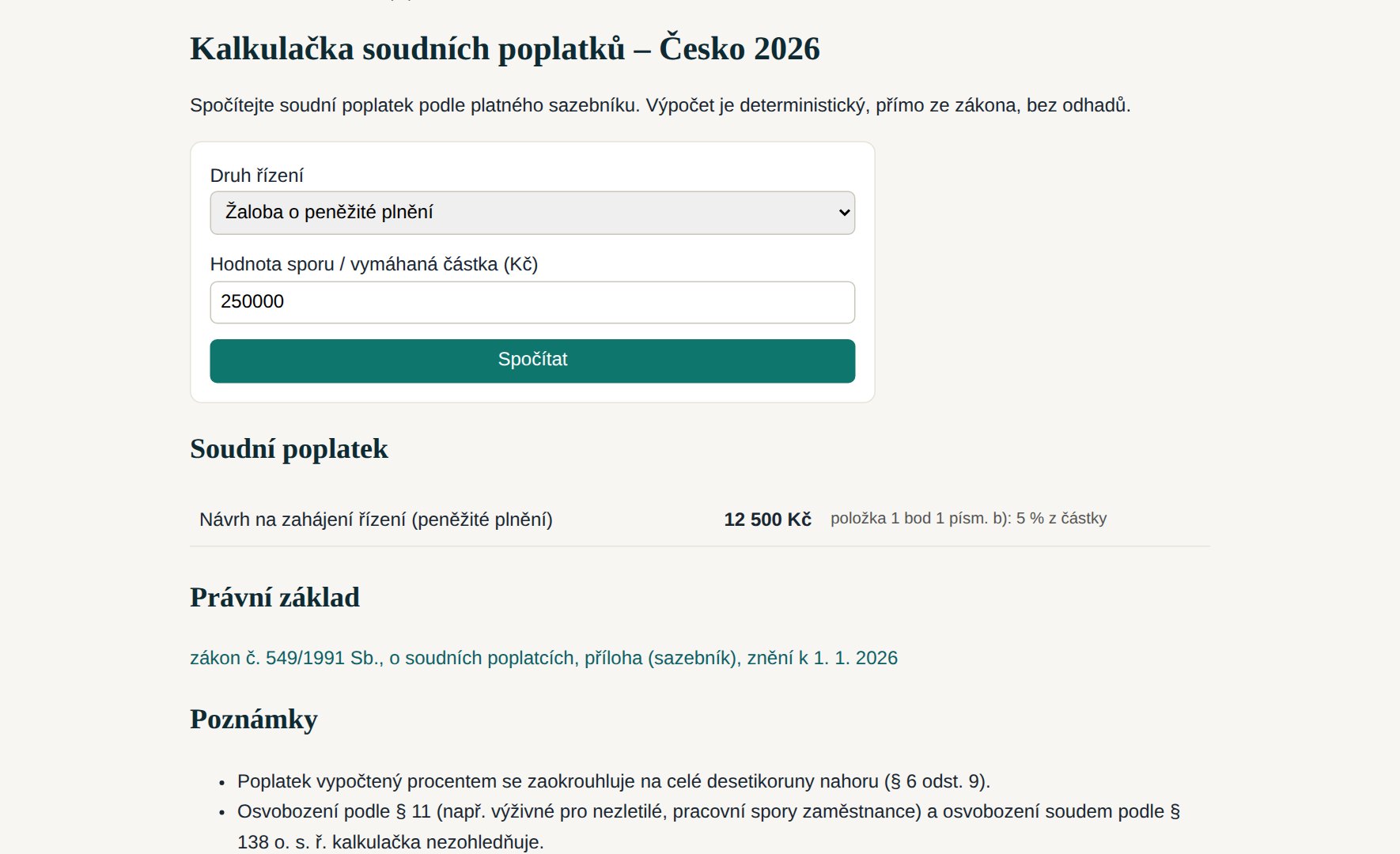
Court fee calculator based on the statutory fee schedule for twelve countries, document anonymisation as a standalone tool, and an MCP connector that connects the entire corpus to Claude, ChatGPT, Copilot, or your own agent.
- Every provision and every decision the interface cites exists in the corpus; the output shows what percentage of the text is grounded in the retrieved sources (grounding).
- Outputs are labelled as AI-generated and do not constitute legal advice; they are a basis for your work, not a substitute for it.
Which sources we search for your country
We build the corpus from the official legislation and case-law portals of each country. Below is an overview of the sources we draw on for this country; the number of documents in the corpus is shown in the panel above this paragraph.
Official legislation and case-law portals from which we build the corpus and to which the links in the results lead.
- Irish Statute Book – Acts and statutory instruments legislation
- Courts Service – judgments case law
Additionally, for all countries: EUR-Lex (EU law) and HUDOC (European Court of Human Rights).
What happens to an uploaded document
The process is designed so that the language model never sees personal data from your document, and so that the document is not stored anywhere after processing.
1. Upload. We accept PDFs with a text layer, scans and photos (JPG, PNG), and plain text. The transfer is encrypted.
2. Conversion to text on our server. We read PDFs using pdftotext, and recognise scans via OCR directly on the server (Tesseract, languages including Czech, Slovak, German, English, French, Polish, Spanish, Italian and Dutch). Cloud-based recognition is used only if local OCR fails, and always only after your confirmation.
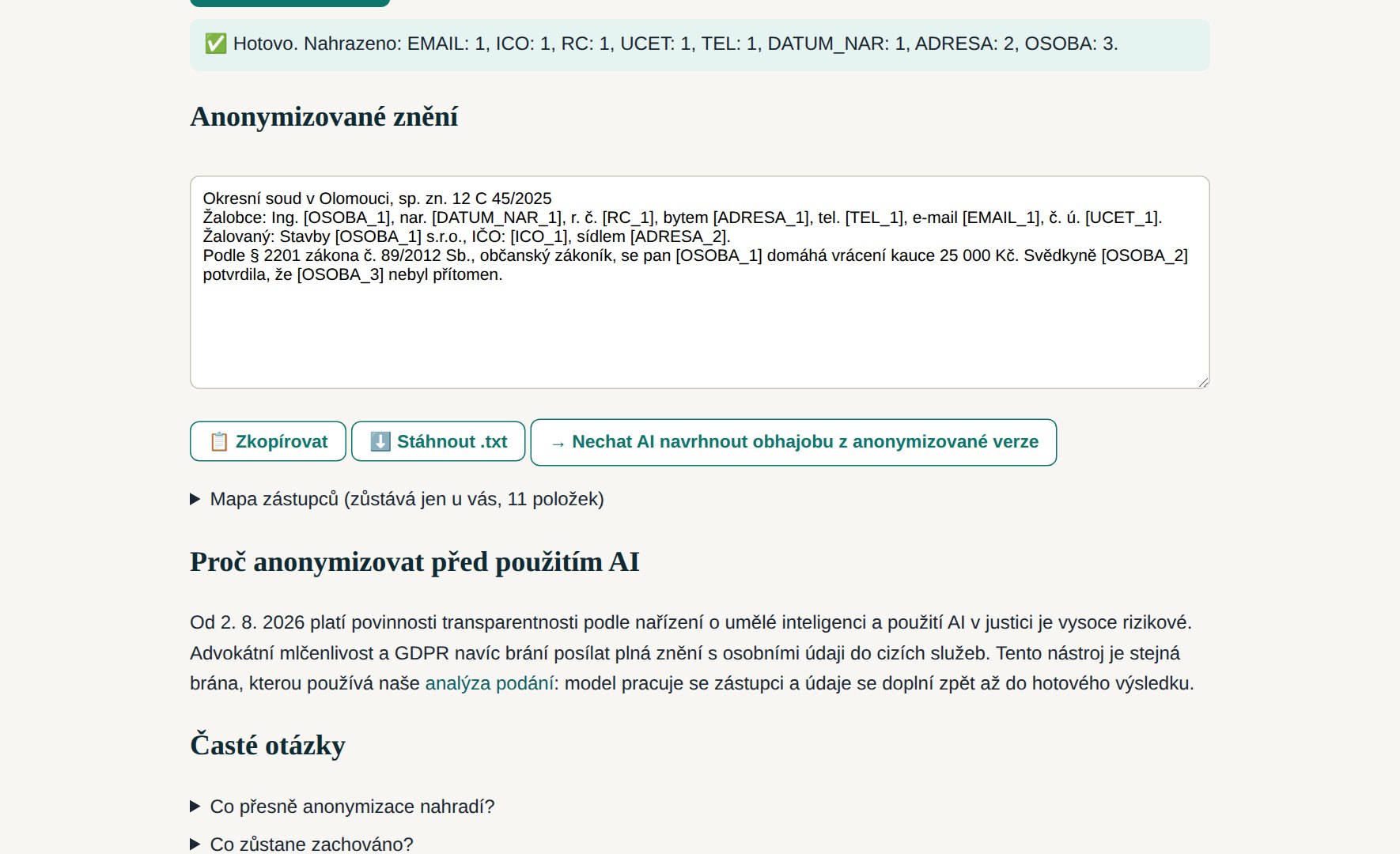
3. Anonymisation. Names and surnames, including inflected forms, national ID numbers, company registration and tax numbers, account and IBAN numbers, phone numbers, emails, dates of birth, and addresses are replaced with placeholders such as [PERSON_1] or [ADDRESS_2]. Case reference numbers, references to statutes and provisions, and the names of courts, authorities, and companies remain, so the text stays legally legible. You can view and edit the anonymised version.
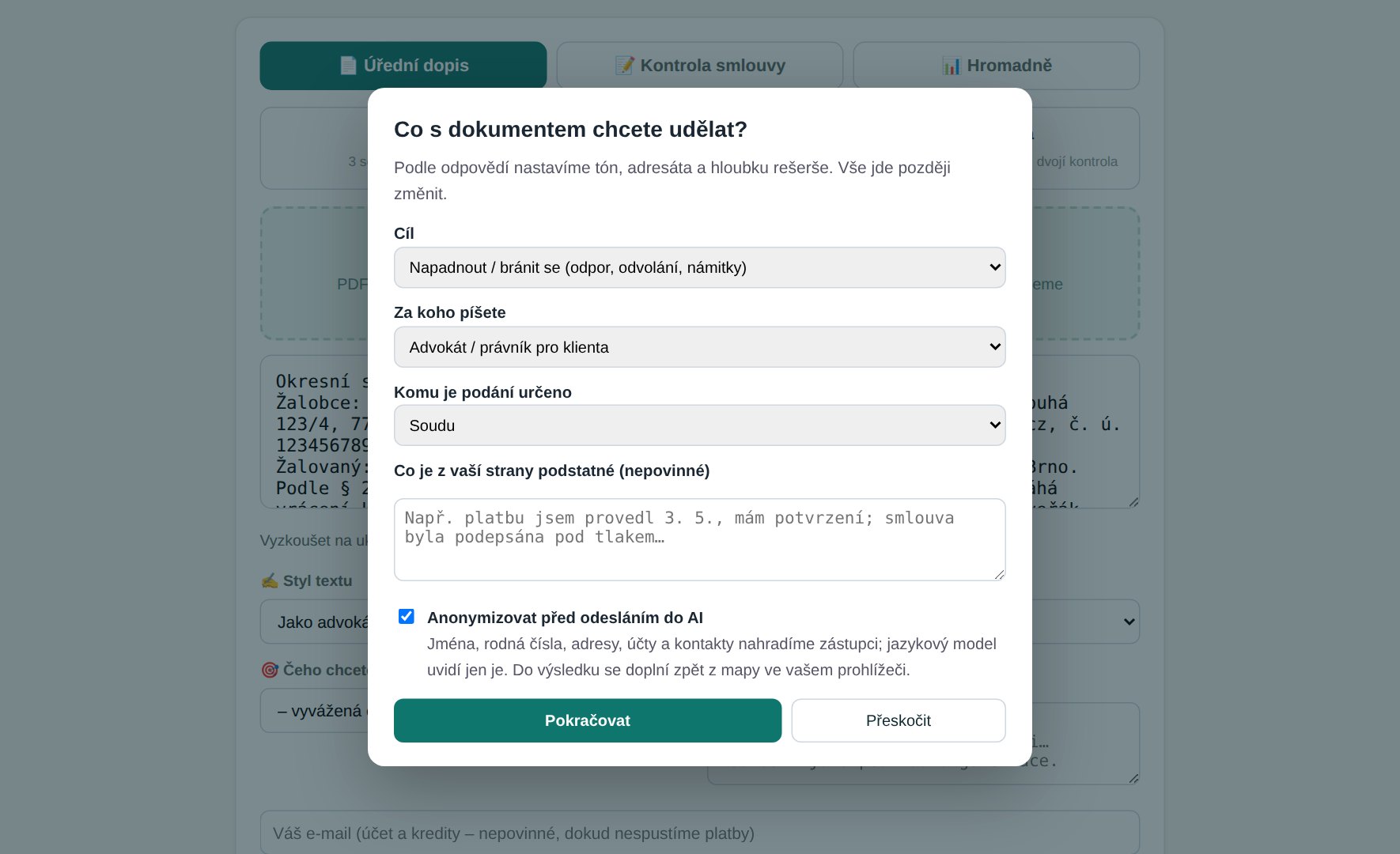
4. The "What would you like to do with this document" window. After uploading, we ask what you want to achieve (challenge, explain, cancel, settle, reduce a penalty, gain time), on whose behalf the submission is being written (lawyer for a client, for yourself, a company), and what matters from your side. This sets the tone, addressee, and depth of research accordingly.
5. Research and drafting. The model receives only the anonymised text along with excerpts from legislation and decisions that the interface has retrieved from the corpus. For each section of the draft, citations are verified: a provision must exist in the official legislation register, and a decision must exist in the court database.
6. Restoring the original data and deletion. The placeholder map stays only in your browser; the finished draft has the original names and details restored on your end. The document and any intermediate results exist only in the server's memory during processing and are discarded once the response is sent.
Why and how we anonymise
Legal professional privilege, GDPR, and, from 2 August 2026, obligations under the AI Act, all prevent full texts containing personal data from being sent to third-party services. Anonymisation is therefore a gateway built into the interface, not an add-on: it runs before every call to the model and can also be triggered separately using the Anonymise document button.
The rules are based on the approach used by the Anonymiser of the Czech Ministry of Justice for court decisions: names, addresses, dates of birth, identification numbers, account numbers, and titles are replaced. The same person always receives the same placeholder, so the reasoning stays consistent. The rule-based tool may miss unusual name forms or addresses without a postal code; you should therefore check the output before use, and human review is mandatory for court decisions.
The standalone Document anonymisation tool returns a downloadable anonymised version along with a placeholder map that only you receive. It is useful for handing a file to an external adviser, for teaching purposes, or for your own work with another AI.
Security and privacy
- Servers are located in the European Union (Germany), transmission is encrypted via TLS, and no supplier outside the EU has access to the system, apart from the language model itself, which sees only the anonymised text.
- The document is not saved to disk, is not kept in any log, and is not used to train models; it disappears from server memory once the response is sent. We retain only the count of replaced items by type (for example, "person 3, address 1"), without any content.
- The placeholder map, i.e. the key to who
[PERSON_1]is, stays only in your browser. Without it, the anonymised data is meaningless to anyone else. - Every output is labelled as AI-generated pursuant to Article 50 of the AI Act; citations are verified against the corpus, but the decision remains yours.
- Paid accounts and API keys are managed separately from query content; for the MCP connector, we store only the text of the query for the purposes of usage limits and search improvement, never uploaded documents.
Benefits for lawyers and legal research
Verified citations instead of hallucinations. The interface does not cite anything it cannot find in the corpus, and each draft shows the degree of grounding in the sources. The phantom judgments that have led courts in Spain, Ireland, and elsewhere to sanction lawyers simply do not arise here.
Cross-border research in a single query. A client with a branch in Germany, a supplier in Poland, and a dispute in Austria means three legal systems; Europaius searches them all at once and returns ECLIs that can be cited directly.
Your AI, our corpus. Through the MCP connector, you keep working in Claude, ChatGPT, or Copilot, with the difference that the model draws on verified legislation and decisions instead of relying on memory.
Speed and cost. Analysing a letter takes minutes, the fee calculator takes seconds, and basic search is free. No installation, no multi-year contract.
Step-by-Step Guide
- Open Document analysis and upload a PDF, scan, or paste in text.
- In the "What would you like to do with this document" window, choose your goal and role, and add context.
- Click Anonymise document, review the anonymised text, and edit it if needed.
- Run the analysis: you'll receive deadlines, steps, relevant provisions, and a draft submission with verified citations.
- Copy or download the result; names and details are restored in it. At that point, the document is gone from the server.
- To research a different country, switch the country in the header, or connect the corpus to your own AI via MCP.
https://mcp.europaius.com/mcp
Frequently Asked Questions
Does the language model see my document?
Not in its original form. The model receives the anonymised text, in which names, numbers, and addresses are replaced with placeholders, along with excerpts from legislation and decisions from our corpus.
What happens to the document after processing?
It is discarded. The document and any intermediate results exist only in server memory during processing; after the response is sent, nothing remains on disk or in any log.
Can you read scans and photos?
Yes, OCR runs directly on our server in ten languages. Cloud-based recognition is used only when local OCR cannot extract the text, and only after your confirmation.
Can I anonymise a document without running the analysis?
Yes, the standalone Document anonymisation tool returns a downloadable anonymised version along with a placeholder map that only the user receives.
How do I know a citation actually exists?
Every provision and decision in a draft is a link into the corpus; the draft shows the degree of grounding in the sources. The interface does not cite anything that is not in the corpus.
Which countries are covered?
The Czech Republic and 25 other EU countries, each with its own language version, overview of sources, and fee calculator where a fee schedule is available.